

Your robotics portfolio is where you really demonstrate your robotics level.
As we evolve, recruiters are focusing more on roboticists that show their portfolio rather than their CV.
Forget about diplomas. Forget about certificates. Show your portfolio!
What is a portfolio?
Your portfolio should be a dedicated website listing the main robotics projects you have developed.
You can host it wherever you want: your personal website, within GitHub, inside The Construct platform… The hosting location doesn’t matter as long as it is available worldwide.
Here some advices about how to build a professional portfolio:
1. Focus on quality over quantity
Recruiters don’t have time to wade through twenty mediocre projects. Focus your efforts on 3 to 5 truly impressive, well-documented projects that show a wide range of skills.
In robotics, the kind of projects that you can show are:
| Project Type | What it Demonstrates | Examples |
| Hardware Integration | Ability to work with sensors, actuators, wiring, and real-world constraints. | Building a custom PCB for a mobile robot, creating a PID controller for a motor or even building full robots |
| Complex Software/Algorithms | Proficiency in high-level programming, math, and specific robotics concepts. | A SLAM implementation using LIDAR data, a path planning algorithm for a drone. |
| Open-Source Contribution | Collaboration, code review, familiarity with Git/GitHub, and industry standards. | Fixing a critical bug in the ROS 2 navigation stack, adding a feature to a major robotics library. |
Of course, you can have hybrid projects where you mix the types above demonstrating that you have a wider range of knowledge, but that is not a must. Some employers are looking for multidisciplinary engineers while others are looking for specialized ones. So, don’t worry if you don’t master all the subjects or you are too shallow on most subjects.
2. Document everything
This is the most crucial step. A portfolio project isn’t just a GitHub link. It’s a comprehensive story that answers:
- The Problem (The “Why”): What real-world challenge were you trying to solve? (e.g., “We needed an autonomous system to inspect agricultural fields.”)
- The Solution (The “What”): What did you build? (e.g., “A custom-built, four-wheeled mobile robot running ROS 2 and utilizing a camera for vision.”)
- The Technical Details (The “How”): Which tools, languages, and concepts did you use? Be specific! Mention Python, C++, ROS 2, Docker, Git, OpenCV, the specific sensors, etc.
- (Optional) Testing Proficiency: If you used unit tests or functional tests, mention it! This shows you build robust, reliable code.
- The Results (The “Proof”): What was the outcome? Did it work? Include performance metrics, graphs, or videos.
- The Lessons Learned (The “Growth”): What went wrong? What would you do differently? This shows self-awareness and a learning mindset.
3. Visuals are a must
You need to prove the robot moves and the code works. For that, include the following:
- Clear Videos: Record a short, clear video (30-60 seconds) for every project showing it in action. Upload it to YouTube and embed it directly on your project page. A working demo is 10x better than a static image.
- Clear Images: Use clean photos of the physical hardware, diagrams of your system architecture, and screenshots of data output or simulation results (like RViz).
- Clean Code Presentation: Link directly to the GitHub repository, and ensure the README file is professional, organized, and follows the structure outlined in point #2.
4. If possible, include hints to your “soft” skills
Use this opportunity to show that you have also other skills required for the job, beside the technical ones. For instance:
- Documentation: Did you create API documentation? Did you use a project management tool? Detail your process.
- Collaboration: For group projects, clearly define your specific role and contributions. If you worked on an open-source repo, emphasize the experience of multi-cultural, distributed teamwork.
- Oral presentation: In case you presented your project live somewhere and happened to have it recorded, include it in the portfolio (if you did the presentation, and did not record it, why?!?!?!?).
5. Final important data to include
Remember that your portfolio is open to the world. Then you need to include a way for visitors to know more about you and how to contact you. This can generate cold job offers for you from people visiting your page and finding your profile interesting. Never forget to include:
- A link to your full CV (a link to your LinkedIn CV is also ok)
- A contact method (usually the email)
Portfolio Best Practices at a Glance
Let’s summarize the dos and don’ts:
|
Do This |
Avoid This |
| Embed a video of your project running. | Just linking to a GitHub repo with no context. |
| Use clear headings and bold important technologies (e.g., SLAM, Docker, C++). | Walls of text or overly complex technical jargon. |
| Explain the “why” behind your design choices. | Just describing “what” the robot does. |
| Mention tests, deployment methods (Docker), and Git flow. | Forgetting to mention the tools you used. |
| Have a separate, dedicated page for your Open-Source Contributions. | Mixing open-source work in with personal projects. |
Some examples of successful portfolios
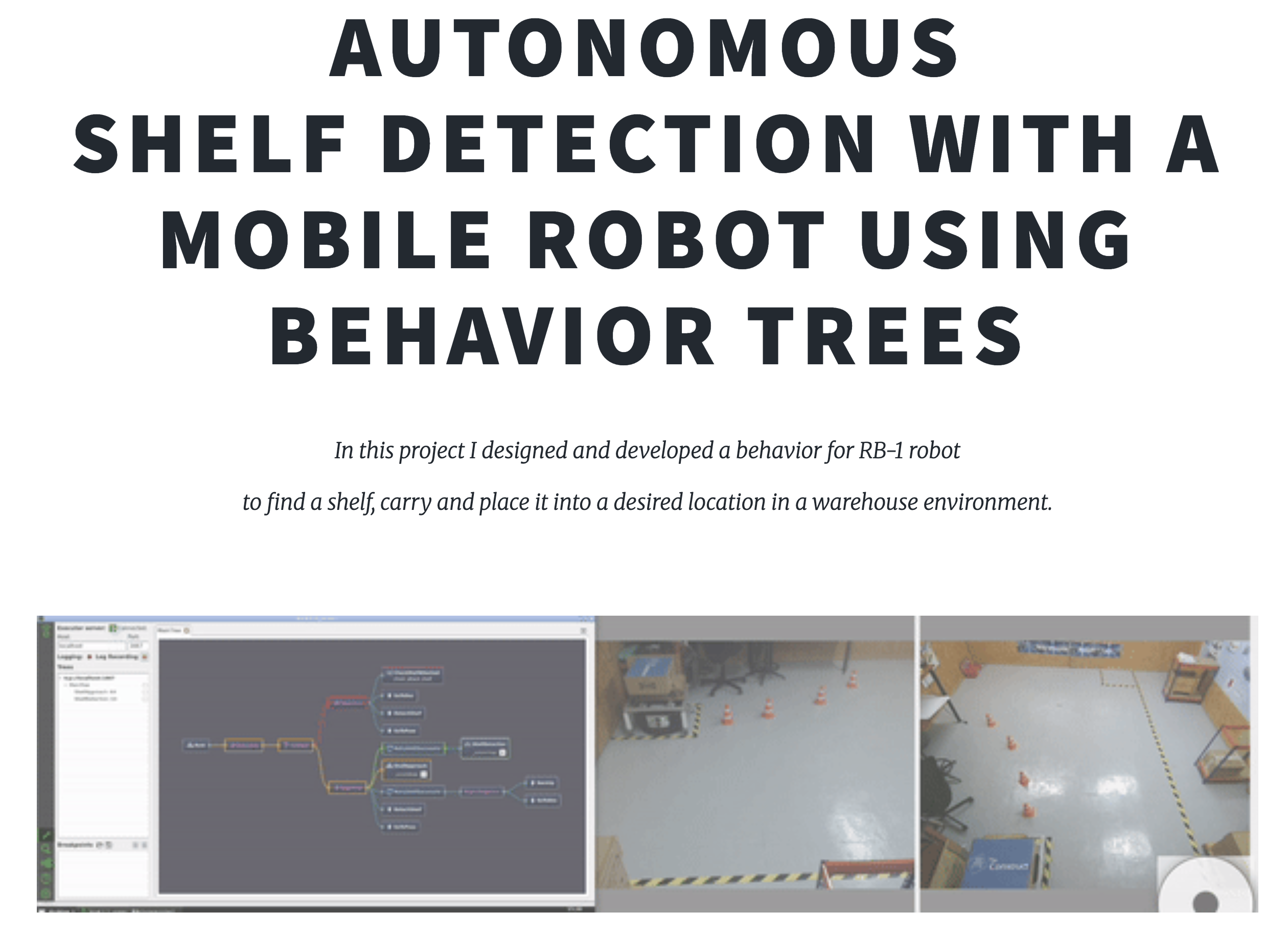
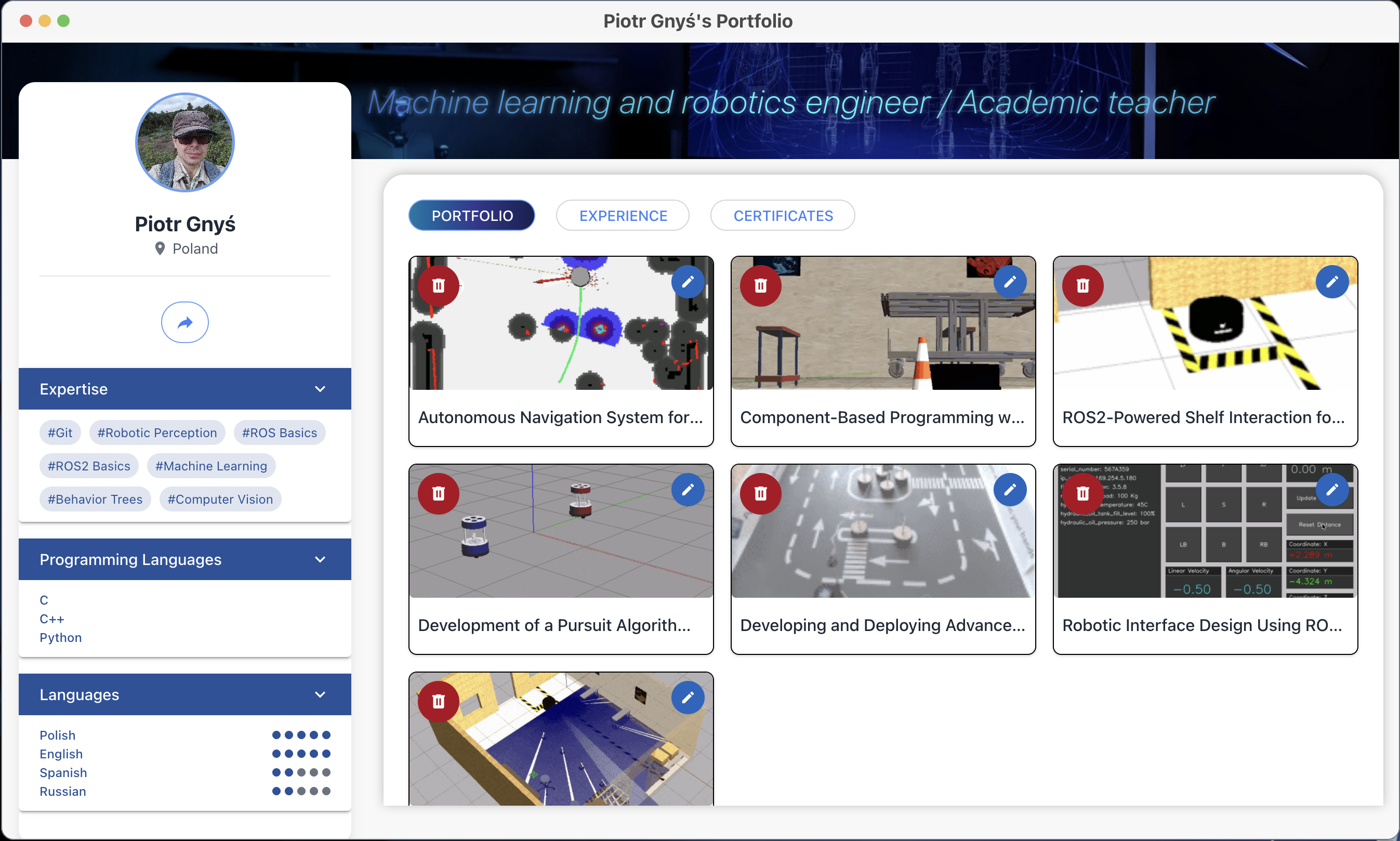
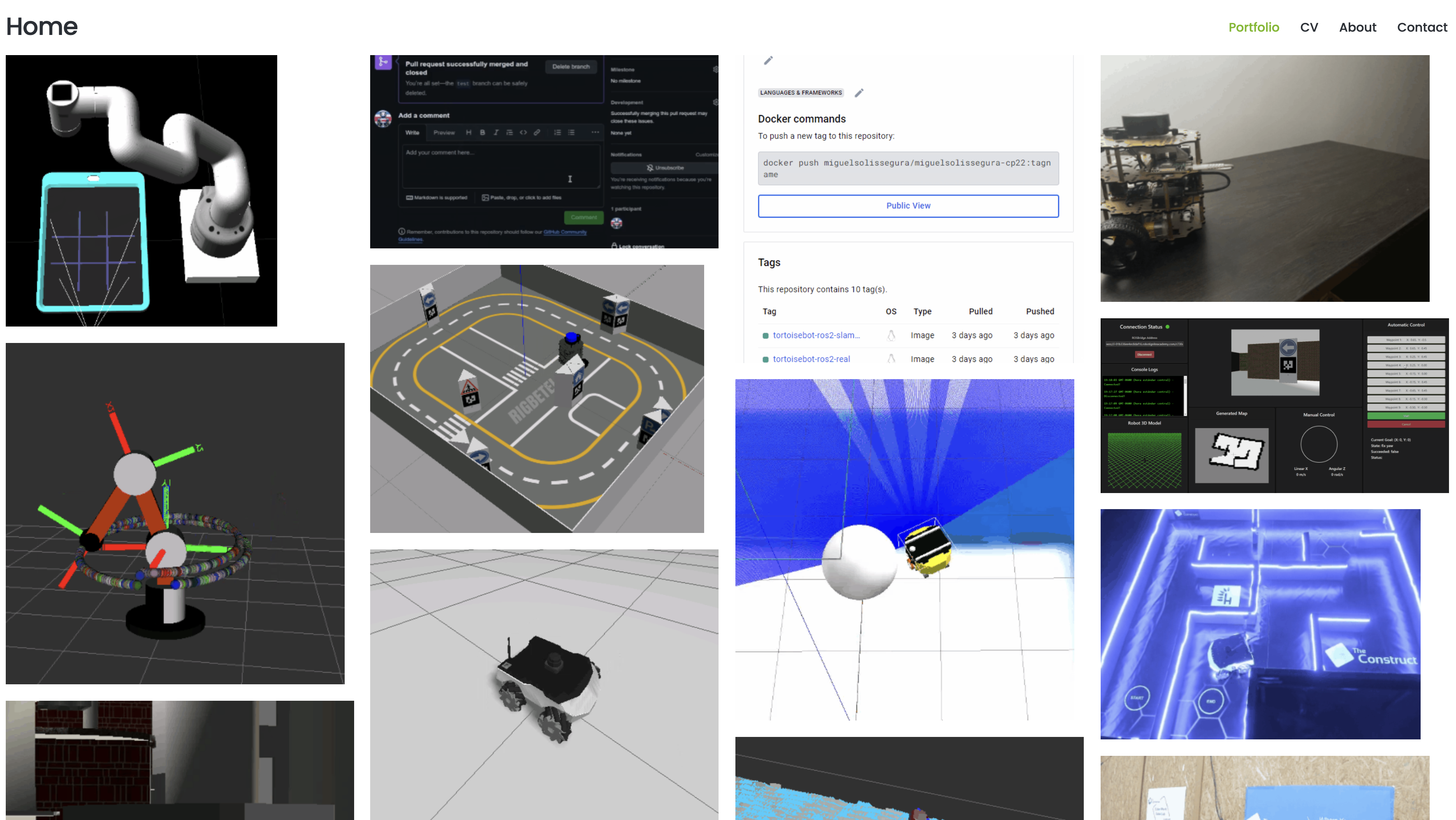
Here are a few examples of good portfolios from former students of mine:
* Peera Tienthong
* Miguel Solis Segura
Conclusion
That’s it!
Now it is your time to start building your portfolio, and if you want me to review it and give you some feedback, write a comment with the address to your portfolio and I’ll take a look.
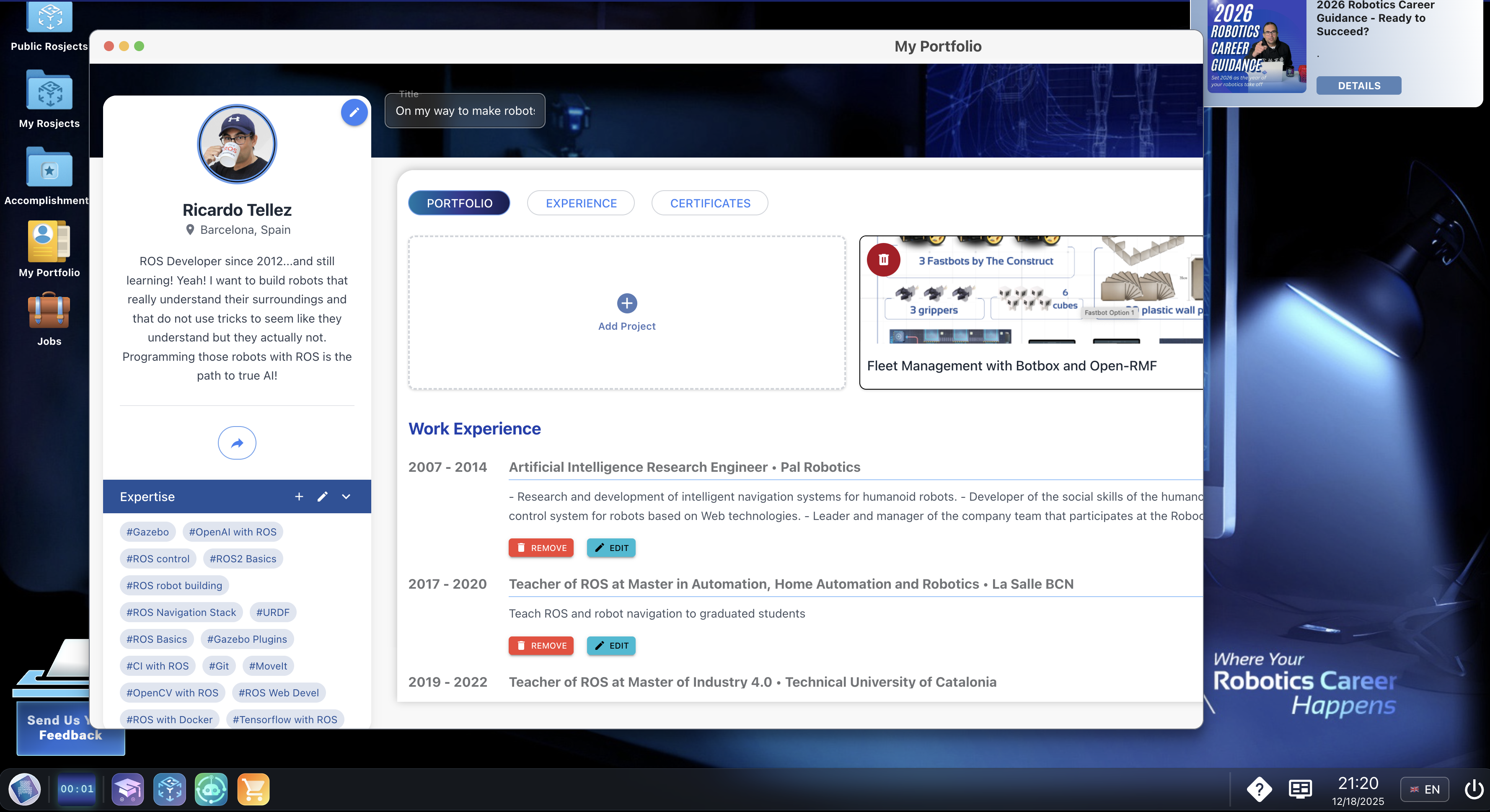
*Final recommendation: Try the automatic portfolio generation from The Construct Robotics Institute, which provides a professional portfolio page for showcasing your robotics projects.
You can edit and fill the portfolio at will, but if you enrol in the Robotics Developers Masterclass, you will be doing awesome projects with simulations and real robots, and ALL THE PROJECTS ARE AUTOMATICALLY ADDED TO YOUR PORTFOLIO, including descriptions, links to code, and images.
Try it now → https://appv3.theconstruct.ai/desktop
0 Comments
Trackbacks/Pingbacks